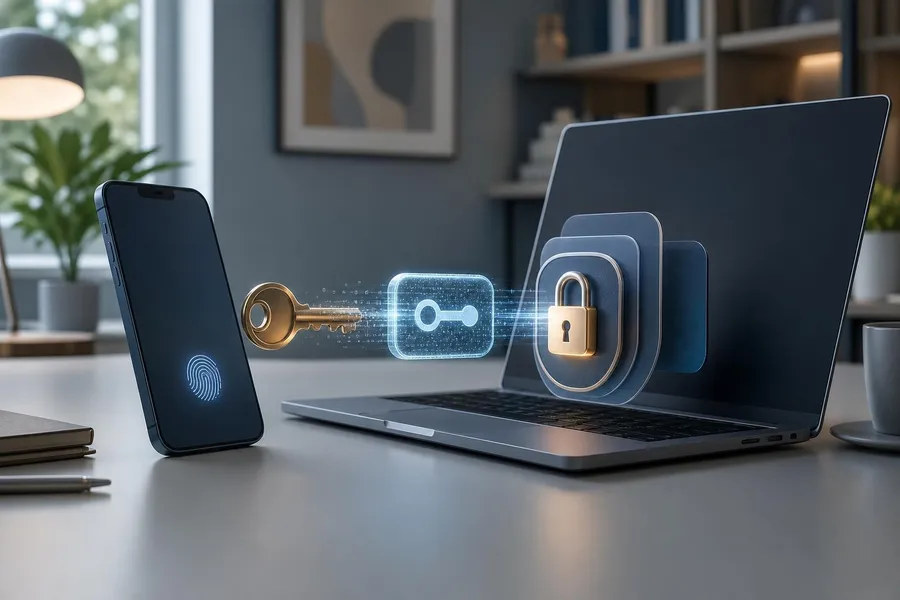
What is passkeys vs passwords? The comparison comes down to how you prove you are the account owner: passwords rely on a secret you type and remember, while passkeys use cryptographic credentials stored on your device or in a password manager. For everyday account security, passkeys are generally safer against phishing, credential stuffing, and reused-login attacks, but passwords still matter because many sites require them for setup, recovery, or older devices. This guide explains where each sign-in method fits best, what risks to consider before switching, and how to protect your email, banking, shopping, social, health, and work-related accounts in the United States.
Best overall security: Passkeys are usually stronger because the secret is not typed into a website and is designed to work only with the legitimate service.
Best universal backup: Passwords remain necessary because many accounts, devices, and recovery flows still depend on them.
Best practical setup: Use passkeys where available, keep unique passwords in a reputable password manager, and turn on multi-factor authentication for important accounts.
Before switching: Check device compatibility, recovery options, shared account needs, and whether the account still keeps a password as a fallback.
Passkeys vs passwords: the core difference
A password is a memorized secret. You enter it into a website or app, and the service checks whether it matches the account record. That model is familiar and flexible, but it has a major weakness: people can be tricked into entering passwords on fake websites, and stolen passwords can be reused by criminals across multiple services.
A passkey works differently. It is based on public-key cryptography. The service keeps a public key, while the private key stays on your device or inside a passkey provider such as a phone operating system, browser, or password manager. When you sign in, your device proves possession of the private key, often after you unlock the device with Face ID, Touch ID, a fingerprint, a PIN, or a screen lock.
The important everyday benefit is that you do not type a reusable secret into a login page. That makes passkeys much harder to steal through common phishing pages. It also reduces the risk from password reuse because each passkey is created for a specific account and service.
Feature | Passwords | Passkeys |
|---|---|---|
How you sign in | Type a secret phrase, word, or string | Approve sign-in with your device, biometrics, PIN, or password manager |
Phishing resistance | Lower, because you can be tricked into typing it on a fake site | Higher, because the credential is tied to the legitimate domain |
Reuse risk | High if the same password is used on multiple accounts | Low, because each passkey is unique to the service |
Recovery challenge | Can be reset by email, phone, or support process | Depends on your device ecosystem, cloud sync, backup method, or security key |
Why passkeys are stronger for everyday threats
Most consumer account takeovers do not involve a movie-style hack of a personal device. They often start with stolen credentials, fake login pages, reused passwords, malware that captures keystrokes, or data from breaches. Passkeys address several of these problems at the design level.
Because a passkey is not typed, a scam website cannot simply collect it the way it can collect a password. Because the credential is bound to the real website or app, it is also resistant to many lookalike-domain tricks. If you are signing in to your bank, email, or tax software, this matters because phishing attacks often imitate trusted brands and urge quick action.
Passkeys also reduce the burden of creating, remembering, and rotating complex passwords. For many people, that convenience is not a small detail. Security tools work best when they are easy enough to use consistently. A sign-in method that is both simpler and harder to phish can improve real-world protection more than a complicated rule that people work around.
What passkeys do not automatically solve
Passkeys are strong, but they are not magic. If someone has full access to your unlocked phone, email inbox, or account recovery methods, they may still be able to cause damage. If you approve a fraudulent payment after signing in correctly, the passkey did its job, but the transaction may still be harmful. Account security also depends on device locks, software updates, recovery settings, and your ability to spot scams after login.
Where passwords still fit best
Passwords are not disappearing overnight. In the United States, many banks, insurers, retailers, utilities, school portals, health care portals, and local government services still rely on passwords. Even when an account offers passkeys, it may keep your password active as a fallback. That means your account can remain vulnerable if the old password is weak, reused, or exposed in a breach.
A good password strategy is still essential. Use a long, unique password for every account, ideally generated and stored in a password manager. For important accounts, avoid passwords based on birthdays, street names, teams, pets, employers, or repeated patterns. A password that is easy for you to remember may also be easy for someone else to guess if it is connected to public information.
Passwords are also useful as an emergency bridge. If you lose a phone, change platforms, travel without a primary device, or help an older family member recover an account, a well-managed password plus strong multi-factor authentication can keep you from being locked out.
Password rules that still matter
Use a unique password for each account, especially email, banking, retirement, payroll, and cloud storage.
Prefer length over clever substitutions, such as replacing letters with predictable symbols.
Store passwords in a password manager instead of notes apps, spreadsheets, photos, or browser autofill without device protection.
Turn on multi-factor authentication, prioritizing authenticator apps, security keys, or passkeys over text-message codes when available.
How to decide which accounts to switch first
The best first candidates for passkeys are accounts that protect other accounts or valuable personal information. Start with your primary email because it is often the reset path for everything else. Then move to financial accounts, cloud storage, phone carrier accounts, password managers, tax-related services, medical portals, and major shopping accounts that store payment cards.
Do not treat all accounts equally. A streaming account matters, but losing access to your email or brokerage account is more serious. Prioritize accounts where a criminal could steal money, intercept one-time codes, view sensitive documents, impersonate you, or reset other logins.
Secure your primary email with a passkey or strong MFA first.
Update your phone, computer, and browser before creating passkeys.
Create passkeys for your most sensitive accounts before convenience accounts.
Review whether the password remains active and replace it with a strong unique one.
Save backup codes, recovery keys, or alternate authenticators in a secure place.
What to check before switching to passkeys
Before you convert an important account, check how the passkey will be stored and recovered. Some passkeys sync through a platform account, such as an Apple, Google, or Microsoft account. Others may live in a third-party password manager or on a hardware security key. Each option has tradeoffs.
Synced passkeys are convenient because you can replace a phone and still regain access after signing into the same ecosystem. Hardware security keys can be excellent for high-risk accounts, but you must keep a spare key in a safe location. Device-bound passkeys can be very secure, but losing the device without a backup may create recovery problems.
Checklist before enabling a passkey
Device coverage: Can you sign in from your phone, laptop, tablet, and any work-approved device you actually use?
Recovery path: If your phone is lost, stolen, or wiped, do you know how to regain access?
Fallback password: Does the account still allow password login, and is that password strong and unique?
Shared access: If a spouse, caregiver, bookkeeper, or family member needs access, is there an official sharing or delegate feature?
Travel and emergencies: Can you sign in if you are abroad, have no cell service, or cannot use biometrics temporarily?
Passkeys, biometrics, and privacy
Many people hear “passkey” and assume their fingerprint or face scan is being sent to every website they use. That is not how mainstream passkey systems are designed. Biometrics usually unlock the local device so it can use the passkey. The website receives proof that the correct credential was used, not your fingerprint or face image.
This distinction matters for privacy. A passkey is a sign-in credential, while your biometric unlock is a local approval method. In many cases, you can also use a device PIN or screen lock instead of biometrics. The exact options depend on your phone, computer, browser, password manager, and the service you are signing in to.
For households, the practical rule is simple: secure the device first. Use a strong screen lock, do not share device PINs casually, remove old devices from your account, and keep operating systems updated. If someone can unlock your device freely, they may be able to access apps, email, messages, saved cards, and passkey-protected accounts.
Common mistakes when moving from passwords to passkeys
The biggest mistake is assuming that enabling a passkey automatically fixes the entire account. If the account still allows password login, an attacker may target the password, recovery email, phone number, or customer support process. After adding a passkey, revisit the whole security page.
Another common mistake is creating a passkey on only one device and ignoring backup access. That may be fine for a low-risk account, but it is risky for email, finance, or identity-related accounts. At minimum, understand whether your passkey syncs to other devices and whether backup codes are available.
A third mistake is sharing accounts by sharing a device PIN or password manager master password. If an account is shared, look for official family, household, delegate, or business access features. These controls are usually safer because each person can have their own sign-in method and permissions.
Better habits after enabling passkeys
Keep a strong unique password if the account still requires one.
Remove old devices you no longer own from account settings.
Add a second recovery method for critical accounts.
Review sign-in alerts and recent account activity at least occasionally.
Avoid approving unexpected sign-in prompts, even if the prompt appears on a trusted device.
Cost and convenience for U.S. consumers
For most consumers, using passkeys does not require buying anything. Phones, laptops, browsers, and major password managers increasingly support them. A paid password manager may cost several dollars per month, often billed annually in USD, but many people can begin with tools already included on their devices.
Hardware security keys are optional for most households but can be useful for people at higher risk, such as small-business owners, journalists, executives, political staff, cryptocurrency users, or anyone who has been repeatedly targeted. If you choose hardware keys, buy at least two so one can be stored securely as a backup.
Convenience also depends on your ecosystem. If you use only Apple devices, only Android and Chrome, or only Windows and Microsoft services, the experience may feel smooth. If you move between personal and work devices, use locked-down office equipment, or help relatives with different devices, test passkeys on a less critical account before changing your most important ones.
Best everyday security setup
The strongest practical setup for most people is not “passkeys only” or “passwords only.” It is a layered approach: passkeys for accounts that support them, unique passwords for everything else, and stronger multi-factor authentication for high-value accounts. This approach matches the current reality that passkeys are growing quickly but passwords remain part of the login and recovery landscape.
Start with your email account. If your email is compromised, an attacker may reset passwords elsewhere. Then protect your phone carrier account, because attackers may try to hijack a phone number to receive text codes. Finally, move through banking, retirement, payroll, tax, cloud storage, and shopping accounts.
The practical goal is not to eliminate every password today. It is to remove weak, reused, and phishable logins from the accounts that would hurt most if compromised.
Frequently asked questions
Are passkeys safer than passwords?
Yes, for most everyday account security needs, passkeys are safer because they are designed to resist phishing and do not require you to type a reusable secret into a website.
Do I still need a password if I use a passkey?
Often, yes. Many accounts keep a password as a fallback, so you should still make that password long, unique, and stored securely.
Can a passkey be stolen in a data breach?
A typical website breach should not expose the private part of your passkey because it stays on your device or in your passkey provider. That is a major advantage over password-based systems.
What happens if I lose my phone with my passkeys?
Recovery depends on where the passkeys are stored. If they sync through your platform or password manager, you may be able to restore them after account verification. For critical accounts, keep backup recovery options.
Are biometrics required for passkeys?
No. Many systems let you use a device PIN, screen lock, or other local unlock method. Biometrics are commonly used because they are convenient, but they are not the passkey itself.
Should I delete my password after creating a passkey?
Only if the service clearly supports passwordless access and you are confident in your recovery options. In many cases, you cannot delete the password, so the better move is to make it strong and unique.
Are text-message codes still useful?
Text-message codes are better than having no second factor, but they are generally less secure than authenticator apps, security keys, or passkeys because phone numbers can be targeted.
Which accounts should I secure with passkeys first?
Start with your primary email, password manager, financial accounts, cloud storage, phone carrier, and any account that stores sensitive personal, health, tax, or payment information.
Conclusion
In the passkeys vs passwords debate, passkeys are the stronger sign-in method for many everyday accounts because they reduce phishing and password-reuse risks. They are especially valuable for email, financial, cloud, and identity-related accounts. Passwords still matter, however, because they remain common in account setup, fallback login, and recovery.
The best move is gradual and deliberate. Enable passkeys where they are available, but do not ignore the old password or recovery settings. Keep unique passwords in a password manager, use stronger multi-factor authentication, secure your devices, and maintain backup access. Done this way, switching to passkeys can make account security both easier and more resilient.
Sources
FIDO Alliance: Passkeys overview and FIDO authentication guidance
National Institute of Standards and Technology: Digital Identity Guidelines on authenticators
Cybersecurity and Infrastructure Security Agency: More than a Password
Federal Trade Commission: Creating strong passwords and other ways to protect your accounts