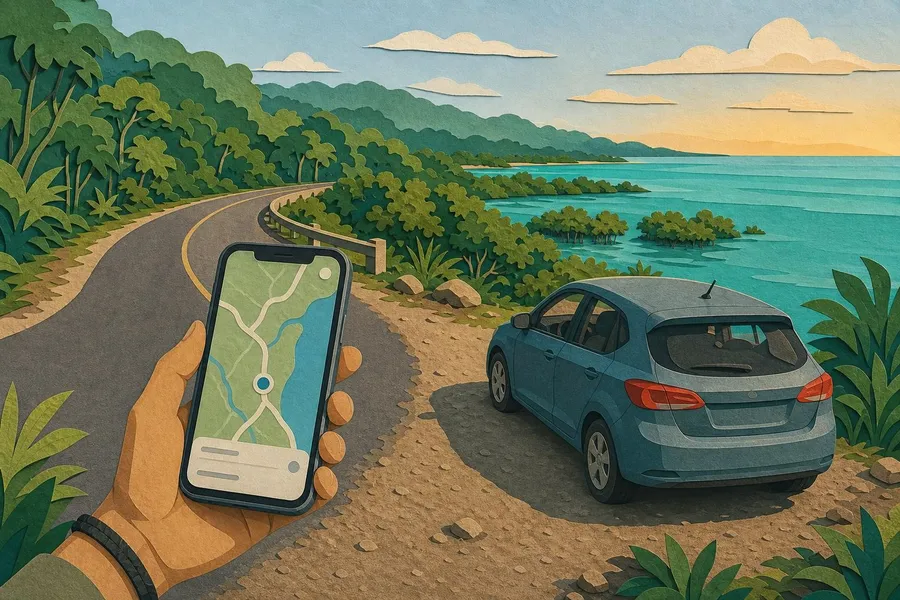
What are offline maps? Offline maps are map files saved on your phone before you travel, so you can view roads, places and some directions even when mobile signal is weak or your data bundle is limited. For Belize trips, they are especially useful on drives to Placencia, San Ignacio, Hopkins, Mountain Pine Ridge, inland villages, boat connections to the cayes, and rural stretches where service can fade. This guide explains how offline maps for Belize trips help save mobile data, which apps to consider, what to download before leaving Wi-Fi, and how to avoid common navigation mistakes on Belize roads and islands.
Download maps while on strong Wi-Fi before heading out, preferably the night before your trip.
Save the full route, not just the destination, especially for Belize City to San Ignacio, Hopkins, Placencia or the northern cayes.
Use Google Maps for familiar driving directions, HERE WeGo as a full-country driving backup, and Organic Maps for walking, trails and privacy-minded travel.
Keep screenshots or saved notes for hotel addresses, water taxi terminals, tour meeting points and emergency contacts.
Why offline maps matter in Belize
Belize is compact, but travel often combines highways, village roads, water taxis, short domestic flights, boat transfers and walking through towns. The Belize Tourism Board describes local movement as a mix of air, ground and water transport, with highways connecting mainland towns and boat services linking coastal areas and island towns. That variety makes planning easy, but it also means your phone may need different kinds of map support across one itinerary.
Mobile data can disappear quickly when a map app keeps reloading tiles, searching nearby places, updating traffic or recalculating a route. Offline maps reduce that drain because the base map is already stored on the phone. Your GPS location can still work without mobile data, because GPS uses satellite positioning; however, search results, reviews, live traffic and some route changes may still require internet.
For residents, offline maps are a practical way to stretch a data plan. For visitors using roaming or a tourist SIM, they help avoid buying extra data just to find a guesthouse, restaurant, fuel stop or ferry terminal. They are not a replacement for common sense, local advice or safe driving, but they give you a dependable base layer when signal is patchy.
Best offline map apps for Belize travel
No single map app is perfect for every Belize journey. The best setup is usually one main app and one backup app. Use the first for normal navigation and the second in case the first lacks a road, fails to route, or does not recognise a local place name. Before trusting any app, compare the route with your hotel’s directions, your rental company’s advice, or your tour operator’s meeting instructions.
App | Best use in Belize | Offline strengths | Watch-outs |
|---|---|---|---|
Google Maps | Driving between towns, finding businesses, saving hotels and restaurants | Selected areas can be downloaded and used when internet is slow or unavailable | Offline walking, cycling, public transport, traffic and alternative routes are limited |
HERE WeGo | Full-country driving backup and simple turn-by-turn navigation | Offline maps can be downloaded by region and used with an offline mode | Place listings may not always match what locals call a spot |
Organic Maps | Walking in towns, trails, bike routes and privacy-conscious navigation | Built for offline use and based on OpenStreetMap data | Crowd-sourced map detail can vary by village, road or trail |
A practical app mix
For most Belize travellers, the safest simple mix is Google Maps plus either HERE WeGo or Organic Maps. Google Maps is familiar and strong for named places, but it is best to know its offline limits before you rely on it. HERE WeGo is useful if you want a clean driving backup. Organic Maps is handy when walking in San Pedro, Caye Caulker, Placencia Village or San Ignacio, or when checking paths and minor roads.
What to download before a Belize road trip
The biggest mistake is downloading only the town where you sleep. Offline navigation needs the whole corridor between where you start and where you end. If your route begins at Philip S. W. Goldson International Airport, save enough map area to cover the airport, Belize City, connecting highways, fuel stops, detours and your final destination.
Download the Belize mainland area if you will drive to San Ignacio, Belmopan, Dangriga, Hopkins, Placencia or Punta Gorda.
Download Ambergris Caye and Caye Caulker separately if your app treats islands as separate map tiles.
Save your hotel, rental office, water taxi terminal, airport, tour meeting point and nearest clinic as labelled places.
Open each saved place once after downloading to confirm it appears without mobile data.
Update the maps before travel, as roads, business names and access points can change.
Recommended download zones
For a classic first-time itinerary, download three zones: northern Belize and the cayes, the Belize City to Belmopan to San Ignacio corridor, and the Hummingbird Highway to Dangriga, Hopkins and Placencia. If you are heading to the Toledo District, Mountain Pine Ridge or remote lodges, download wider areas than you think you need. A small detour or missed turn can take you outside a tightly cropped map.
How offline maps save mobile data
Map apps use data in several ways: loading the visual map, searching places, calculating routes, refreshing traffic, showing photos, checking business hours and serving reviews. Offline maps reduce the first and often largest need: constantly downloading the visual map while you move. This matters when your data plan is small or when you are travelling with a roaming plan charged outside Belize dollars.
A data-saving setup does not mean turning your phone into a brick. You can keep mobile data on for WhatsApp, emergency messages or booking confirmations while forcing your map app to lean on downloaded files. In Google Maps, for example, the app can guide you with the downloaded area when the connection is slow or unavailable, provided the complete route sits inside that offline map.
Use Wi-Fi for downloads: Save maps at home, at your hotel, or anywhere with reliable Wi-Fi.
Disable auto-play media: Restaurant photos and reviews can eat more data than the map itself.
Avoid constant re-routing: Check the route before driving so the app is not repeatedly recalculating online.
Keep a backup app: A second downloaded map prevents panic if the first app fails.
Offline map tips for Placencia, San Ignacio and the cayes
Placencia and the southern coast
The drive to Placencia can involve long stretches where you do not want to be guessing. Download the full route from your starting point through Belmopan or Dangriga, then down the peninsula. Save your accommodation by name and also by a manual pin, because some beach properties, villas and smaller lodgings may appear under slightly different names across apps. If your stay is in Maya Beach, Seine Bight or Placencia Village, mark the exact area before you set off.
San Ignacio and inland adventures
San Ignacio is a common base for Maya sites, caves, rivers and rainforest lodges. Offline maps are helpful, but do not treat every small road or track as suitable for every vehicle. Some routes may be rough, seasonal or better handled by a licensed guide. If you are visiting Caracol, Mountain Pine Ridge or a lodge off the main road, confirm directions locally and save them as notes or screenshots.
Ambergris Caye and Caye Caulker
On the cayes, offline maps are most useful for walking, golf cart routes, docks, dive shops, hotels, pharmacies and restaurants. Water taxis connect Belize City, Caye Caulker and San Pedro, and travellers should save terminal locations on both the mainland and island side. Remember that sea routes and reef trips are not the same as road navigation. For boating, diving or snorkelling, follow the licensed operator’s directions and safety briefing rather than a general phone map.
Step-by-step setup before you leave Wi-Fi
Set up offline maps before travel day, not while standing outside the airport or waiting for a bus. Downloads can fail if your phone storage is low, your battery is weak or the connection is unstable. Give yourself time to test the map in airplane mode while still near Wi-Fi.
Open your main map app and download the Belize area or the specific regions on your route.
Download a second offline app or map as a backup, especially if you will drive outside major towns.
Save key places with clear labels such as hotel, fuel, ferry, airport, clinic and rental office.
Switch on airplane mode, reopen the app and check whether your route and saved places still load.
Pack a car charger or power bank, because GPS use can drain battery even when data is off.
Storage and battery checks
Offline maps need phone storage. Delete old downloads for countries or cities you no longer need, clear large videos, and make sure your device has enough free space for updates. If your Android phone supports an SD card, some apps allow map storage there. Battery matters too. Lower screen brightness, start with a full charge, and avoid leaving navigation running after you arrive.
Common mistakes to avoid
Offline maps are powerful, but they can create false confidence if used carelessly. Belize has places where local knowledge is more reliable than a route chosen by software. Weather, road works, night driving conditions, bridge access, ferry timing and private property boundaries can all affect a journey.
Downloading too small an area: A narrow map may cut off the road if you miss a turn or take a detour.
Trusting old pins: Businesses move, rename or close, so confirm important locations before you go.
Ignoring local directions: A hotel, guide or rental company may know the safer or easier road.
Forgetting offline limitations: Live traffic, public transport and alternative routes may not work offline.
Letting the phone die: A downloaded map is useless if your battery is flat.
When offline maps are not enough
Use offline maps as one tool, not your whole travel plan. If you are driving after dark, heading into remote terrain, joining a cave or waterfall tour, or travelling by boat, get clear directions from the operator. If your accommodation is off the highway, ask for written directions using landmarks, not just a map pin. Landmarks such as a bridge, police station, village sign, gas station or junction can be more useful than a street address.
It is also sensible to carry the phone number of your hotel, guide and rental company. Save them in your contacts and write them down somewhere outside your phone. If you run out of battery, lose the device or damage it in rain, you still need a way to ask for help. For groups, each adult should have the route downloaded, rather than relying on one phone.
Do offline maps work without mobile data in Belize?
Yes, downloaded maps can display roads and saved places without mobile data. GPS positioning can still work, but live traffic, fresh search results, reviews and some route changes may need internet.
Which offline map app is best for driving in Belize?
Google Maps is familiar and useful for many driving routes, while HERE WeGo is a strong backup for offline driving. For the best reliability, download both before a long trip.
Should I download all of Belize or just my destination?
Download the full travel corridor. If you are driving from the airport to San Ignacio or Placencia, save the route area between both points, not only the town where you will sleep.
Can offline maps help on Caye Caulker or Ambergris Caye?
Yes. They are useful for walking routes, golf cart movement, docks, hotels, restaurants, pharmacies and water taxi terminals. They should not replace guidance from boat, dive or snorkelling operators.
Will Google Maps give walking directions offline?
Google states that public transport, cycling and walking directions are unavailable offline. Downloaded Google Maps are most dependable for viewing the area and for driving guidance within the saved map.
How often should I update offline maps?
Update them shortly before your trip and again whenever the app prompts you. Updates help correct roads, places and map details that may have changed.
Do offline maps cost money?
Many offline map features are free, but app policies can change. Check the current app listing before travelling. You may still pay for Wi-Fi, mobile data or storage if you download large areas.
What else should I save besides the map?
Save hotel directions, booking confirmations, water taxi details, tour meeting points, emergency contacts and screenshots of key addresses. These help if your app cannot search while offline.
Conclusion
Offline maps for Belize trips are a simple way to save mobile data and reduce stress when signal fades. Download your main route before leaving Wi-Fi, include the full corridor between destinations, save important places, and test everything in airplane mode. For most people, Google Maps plus a backup such as HERE WeGo or Organic Maps gives a practical balance of familiar navigation and offline resilience.
The key is preparation. Belize travel can move from highway to village road to water taxi in the same day, so your map should match the journey. Use offline maps to stay oriented, but combine them with local directions, updated travel information and safe judgement on the road.
Sources
Google Maps Help: Download areas and navigate offline in Google Maps
HERE WeGo Support: Offline maps
Organic Maps: Offline maps app information
Travel Belize: Getting Around in Belize